
AI assistants (MCP)
Tidemark has a built-in Model Context Protocol server, so AI assistants can answer questions about your sites ("how did the pricing page do last month?") from your own numbers. It is read-only and returns aggregates only: totals, trends, top pages and sources, goals and funnels. There is no visitor-level data to ask for, and nothing can be changed.
1. Create a read-only key#
Open Account settings → Security, choose Read-only, name the key (for example Claude) and create it. Copy it straight away; it is shown once.
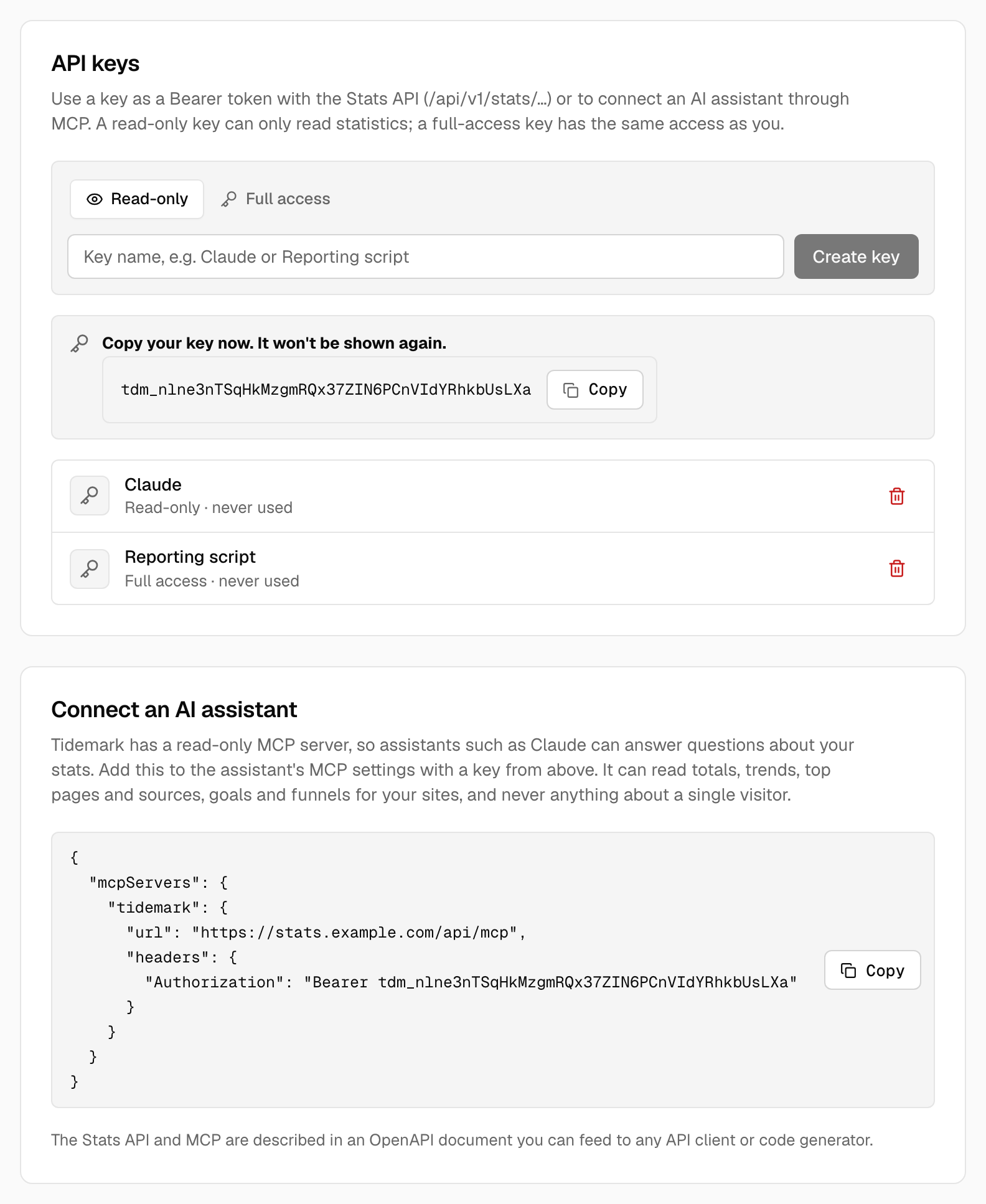
A read-only key can read statistics through the Stats API and the MCP server, and nothing else: it can't change settings, list keys or reach any other part of the API. A Full access key has the same access as you, like every key before 0.31.
2. Connect the assistant#
Under the keys, Connect an AI assistant shows the configuration for your installation. Add it to the assistant's MCP settings:
{
  "mcpServers": {
    "tidemark": {
      "url": "https://stats.example.com/api/mcp",
      "headers": { "Authorization": "Bearer YOUR_KEY" }
    }
  }
}
The server speaks Streamable HTTP, so any client that supports remote MCP servers with a bearer token can use it.
What the assistant can do#
| Tool | What it returns |
|---|---|
list_sites |
The sites your key’s owner can read |
get_stats |
Totals for a period, optionally with the change against the previous one |
get_timeseries |
Numbers per day, hour or month |
get_breakdown |
Top pages, sources, countries, browsers… |
get_goals |
Goal conversions and revenue |
list_funnels, get_funnel |
Funnels and how far visitors get |
get_current_visitors |
Visitors in the last five minutes |
get_annotations |
The notes on the graph you may see |
Tools only see the sites the key's owner belongs to, and apply the same rules as the dashboard (including small groups). Requests are limited to 120 a minute.
OpenAPI#
The Stats API, Events API and MCP endpoint are described in an OpenAPI 3.1 document at /api/v1/openapi.json on your installation (no key needed). Feed it to any API client or code generator.
Treat a key like a password. Create one per tool, so you can revoke each on its own from the same page.