
Masking personal data
Sites sometimes send personal data to analytics by accident: an email address in a URL (/account/[email protected]), a password-reset token in a path, an order number in an event name. Tidemark replaces such values with a placeholder before anything is stored, so they never reach the database.
What is masked#
| Kind | Placeholder | Examples |
|---|---|---|
| Email addresses | [email] |
[email protected] |
| UUIDs | [uuid] |
550e8400-e29b-41d4-a716-446655440000 |
| Tokens | [token] |
long mixed letters and digits, JWTs, hex hashes |
| Long numbers | [number] |
nine digits or more: card, account or phone numbers |
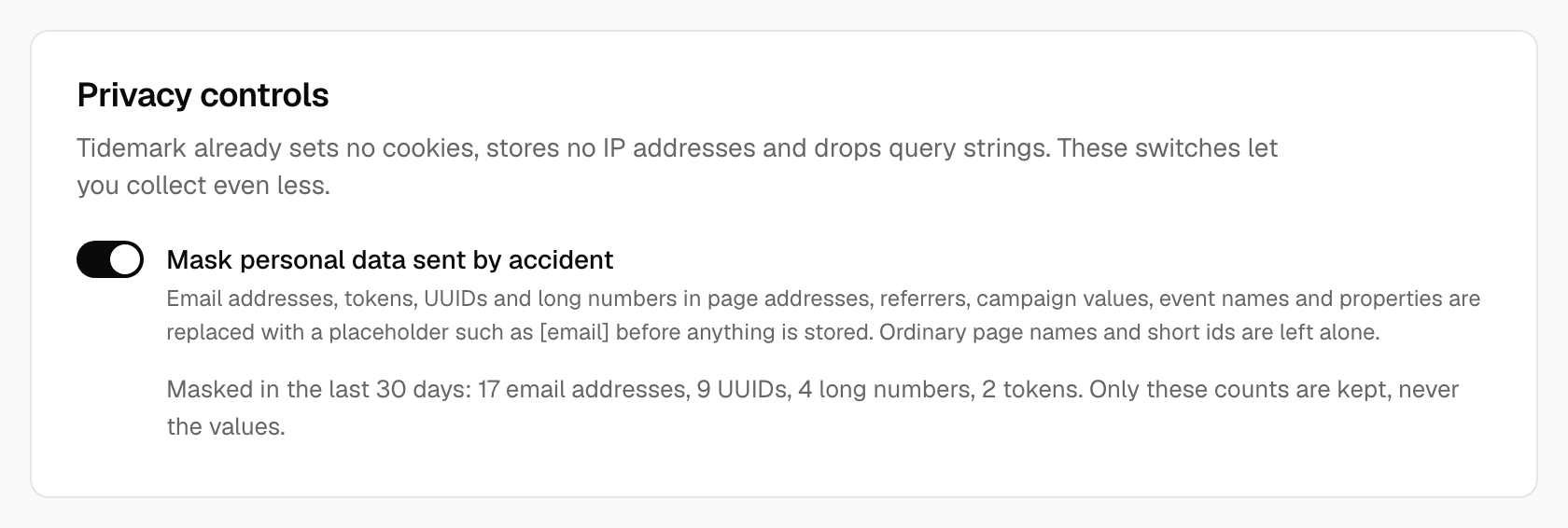
Masking applies to page addresses, referrers, campaign (UTM) values, event names and event properties. Ordinary page names, slugs, dates and short ids such as /blog/2026-launch or /orders/1042 are left alone, so your reports stay readable. Only the number of masked values is kept, by kind and day, never the values themselves.
On a self-hosted installation#
Masking is on by default. Open Site settings → Tracking → Privacy controls to switch Mask personal data sent by accident off for a site if you really need to. The same card shows what was masked in the last 30 days, by kind, so you can tell whether a page is leaking something and fix it at the source.
Masking helps, but it is not a licence to send personal data. If you see masked counts for a page, fix the page so it stops putting an email address or token in its address.
See also Privacy controls and How privacy works.