
Brand your public dashboard
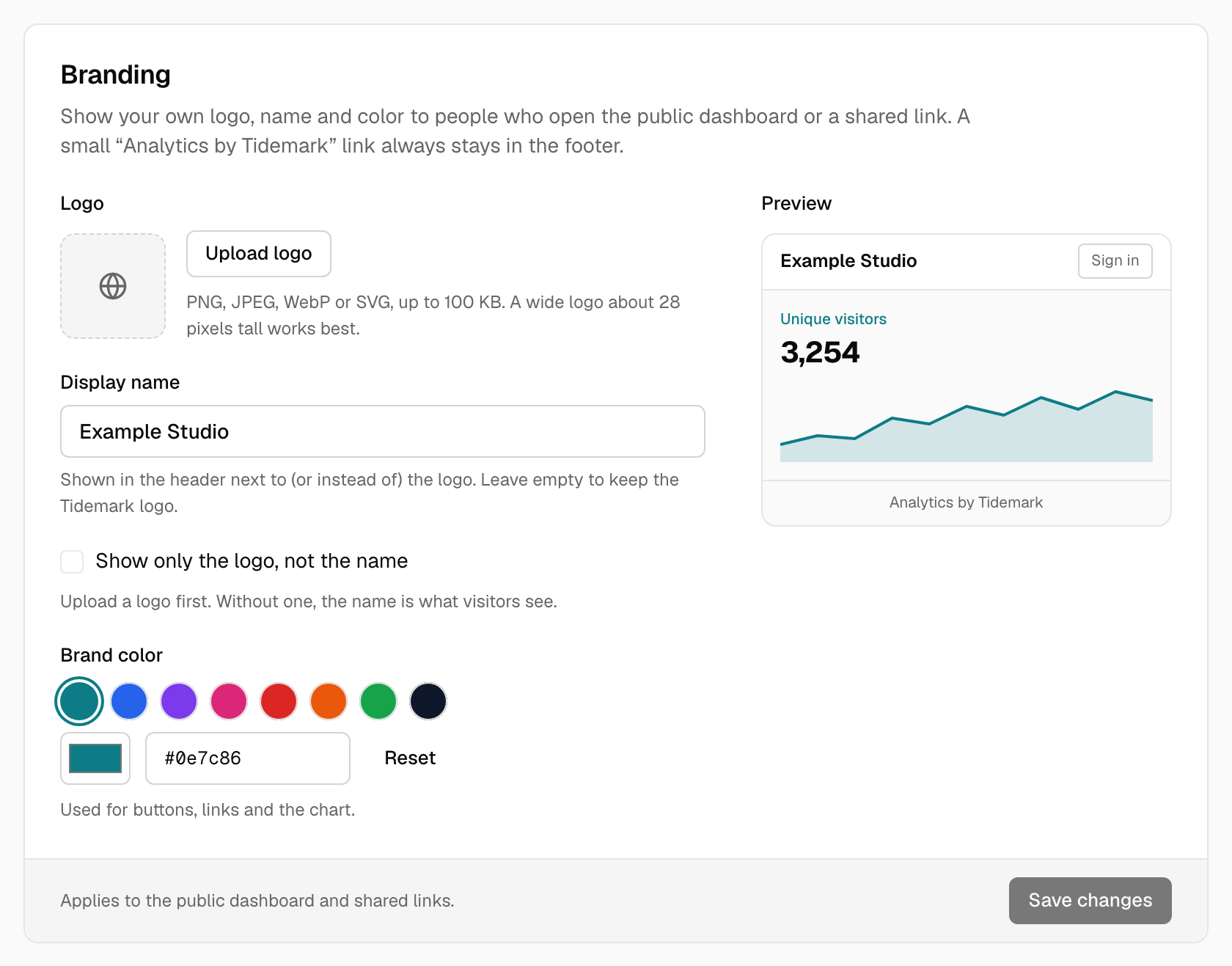
You can show your own logo, name and color on a site's public dashboard and on its shared links, so it feels like part of your own site. A small "Analytics by Tidemark" link always stays at the bottom of these pages.
On a self-hosted install it is always available, with no license or payment.
What you can change#
- Display name. Shown in the header. With a logo, it sits next to it. Without a logo, it replaces the Tidemark logo. Up to 60 characters.
- Logo. A PNG, JPEG, WebP or SVG image up to 100 KB. A wide logo about 28 pixels tall looks best, and one with a transparent background works in both the light and dark themes.
- Brand color. Used for buttons, links, highlights and the chart, and it tints the page's backgrounds and borders in both the light and dark themes. If the color is too light or too dark to read, Tidemark uses the closest shade that meets WCAG AA contrast, and the Branding section shows which shades visitors will see.
How to set it up#
- Open the site and go to Settings → Sharing and access → Branding. You need to be an owner or admin of the site.
- Enter a display name and pick a color, either with the color picker or by typing a hex code such as
#c2410c. Click Save. - Under Logo, click Upload logo and choose your image. Replace logo swaps it and Remove deletes it.
- Open the public dashboard or a shared link in a private browser window to see the result. Branding is shown to visitors who aren't signed in; you and your team see the normal Tidemark look when signed in.
Branding only appears on pages other people can reach: the public dashboard and shared links. If a site's dashboard is private and has no shared links, there is nothing for it to show on.
What always stays the same#
- The "Analytics by Tidemark" link at the bottom of public pages. It can't be removed.
- The layout and the reports. Branding changes the look of the header and the accent color only.
Self-hosted installs#
The same Branding section is there in every self-hosted install, with no limits and nothing to buy. The footer link stays on public pages there too.
Troubleshooting#
- The logo upload is refused. Check that it is a PNG, JPEG, WebP or SVG and under 100 KB. Compressing a large PNG usually gets it under the limit.
- My branding doesn't show. Make sure you're not signed in to Tidemark in that browser, and that the site's dashboard is public or you are using a shared link.
- Text on the color is hard to read. You don't need to fix it: Tidemark automatically uses the nearest shade of your color that keeps text, buttons and the chart readable. The Branding section shows the shades it uses, so pick a different color if you want a closer match.